Works offline · Android & web
Your reminder arrives.
Signal or no signal.
Astar Tasks keeps your tasks, appointments and reminders on your device, not on a connection. Schedule a reminder on a plane and it still goes off on time — then everything syncs the moment you are back online.
Free plan covers tasks, appointments, reminders, the calendar and sync.
How it works
Three things, done properly
No setup, no account needed to start, nothing that stops working when the network does.
1. Write it down
A task with a due date and a priority, or an appointment with a start, an end and the people invited. Both take seconds.
2. Set the reminder
Choose how long before, and whether it repeats. The alarm is registered with your phone itself, so it does not need us to be reachable.
3. Forget about sync
Changes you make offline queue up and send themselves when you reconnect. Nothing is dropped, and nothing waits for you to press a button.
Offline first, not offline tolerant
The network is optional
Most apps treat being offline as an error state. Astar Tasks treats it as normal. Everything you do is written to your device first and answered immediately — the sync is what happens afterwards, in the background.
On device
Your data lives in a local database. Opening the app with no signal shows everything, not a spinner.
Never lost
Offline edits sit in a queue that retries. If something cannot send, it is shown to you rather than silently discarded.
Survives a reboot
Reminders are re-registered with the operating system when the phone restarts, so a restart does not cancel your morning.
Same on every device
Sign in on a second device and the last write wins, decided by the server clock rather than whichever phone was furthest out.
Features
Everything a working week needs
Tasks with real due dates
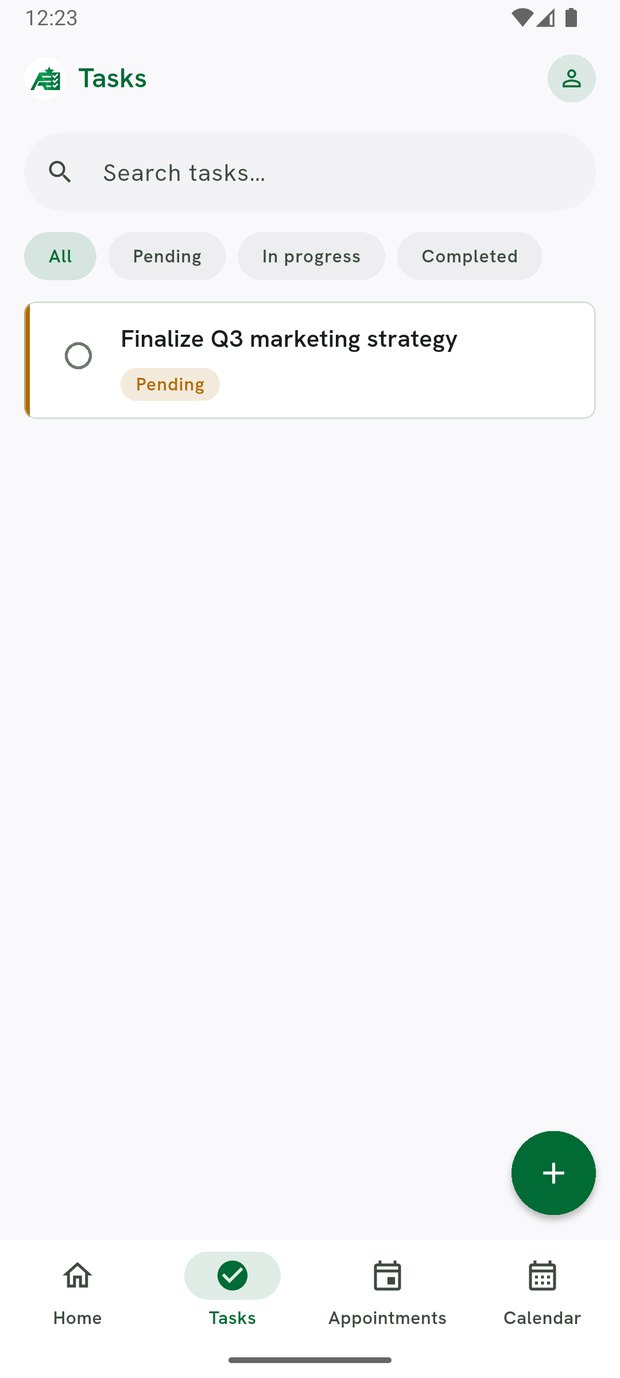
Priority, notes, subtasks and a due date that actually drives the reminder rather than sitting there as a label.
Appointments and a calendar
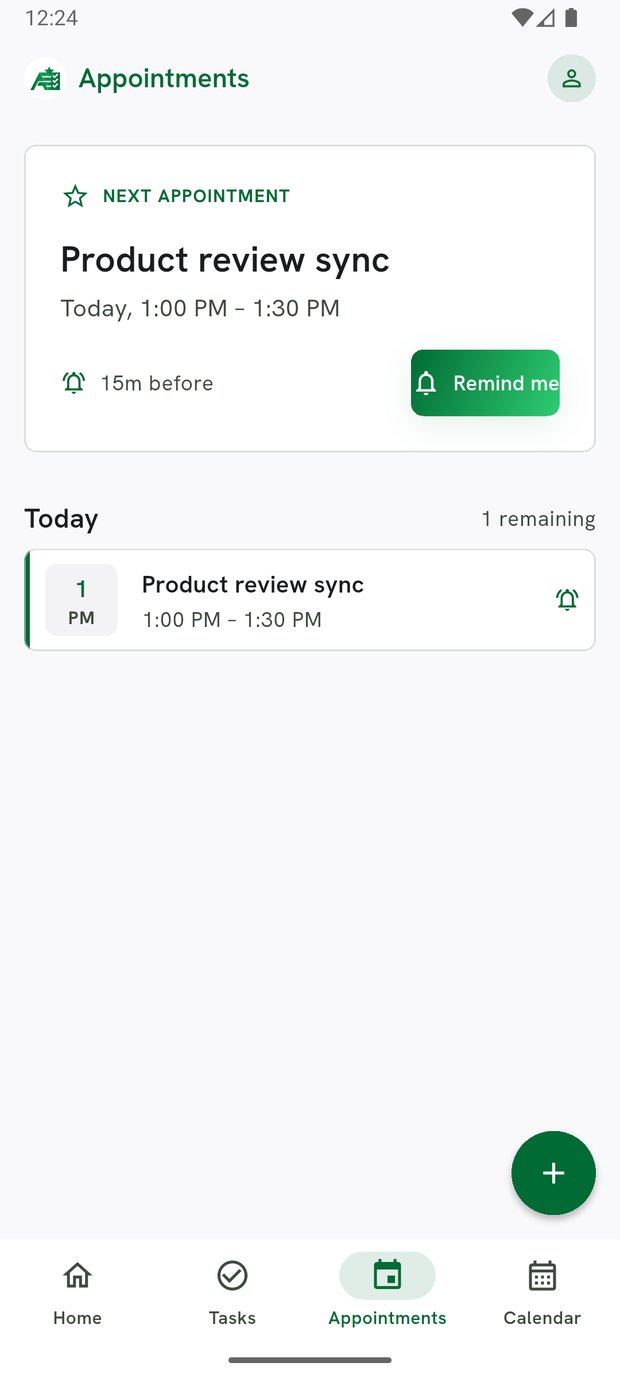
Start and end times, repeats, and day, week and month views — not a date strip pretending to be a calendar.
Invite people by email
An invitation goes out as a proper calendar request, so it lands in the recipient's own calendar with Accept and Decline — no account required at their end.
Teams, assignment and approval
Assign work to a colleague and require sign-off before it counts as done. Roles decide who can approve.
Reports you can hand over
What was completed, what ran late, who did it — for yourself on every plan, and per member on a team plan. Exports to PDF.
15 languages, 17 accents
The whole interface, not just the menus. Pick the colour you like and the language you think in.
A look inside
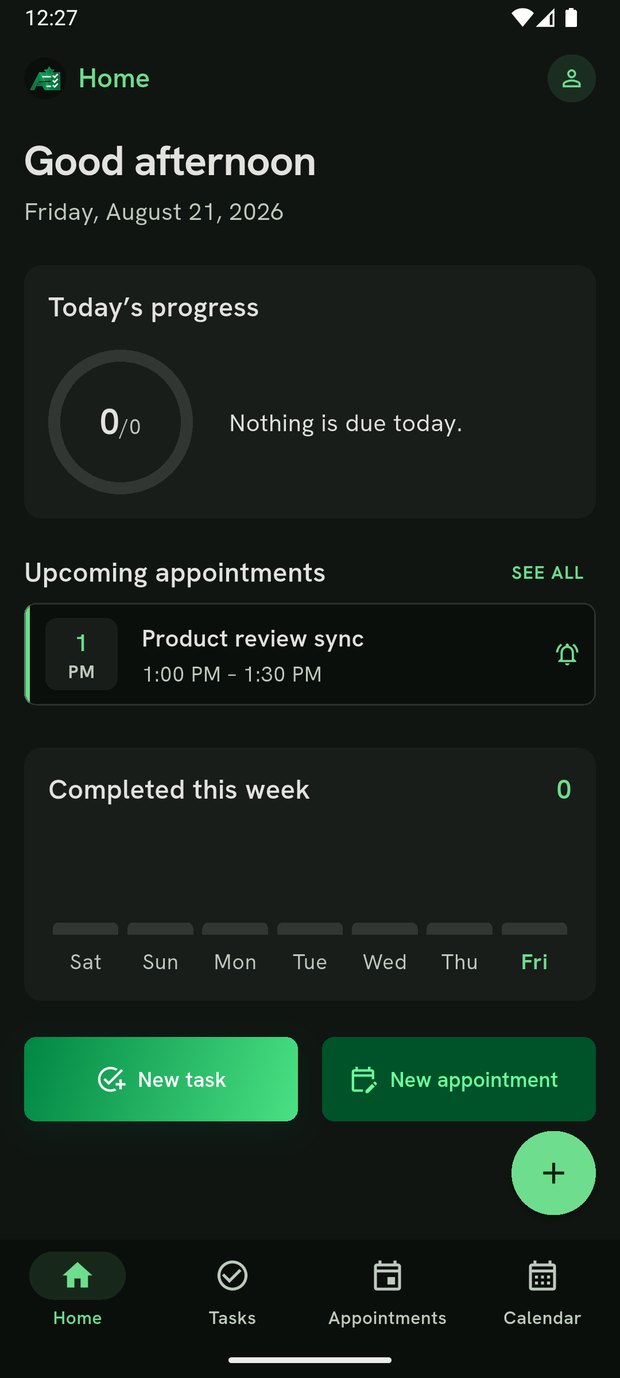
Built to be read at arm's length
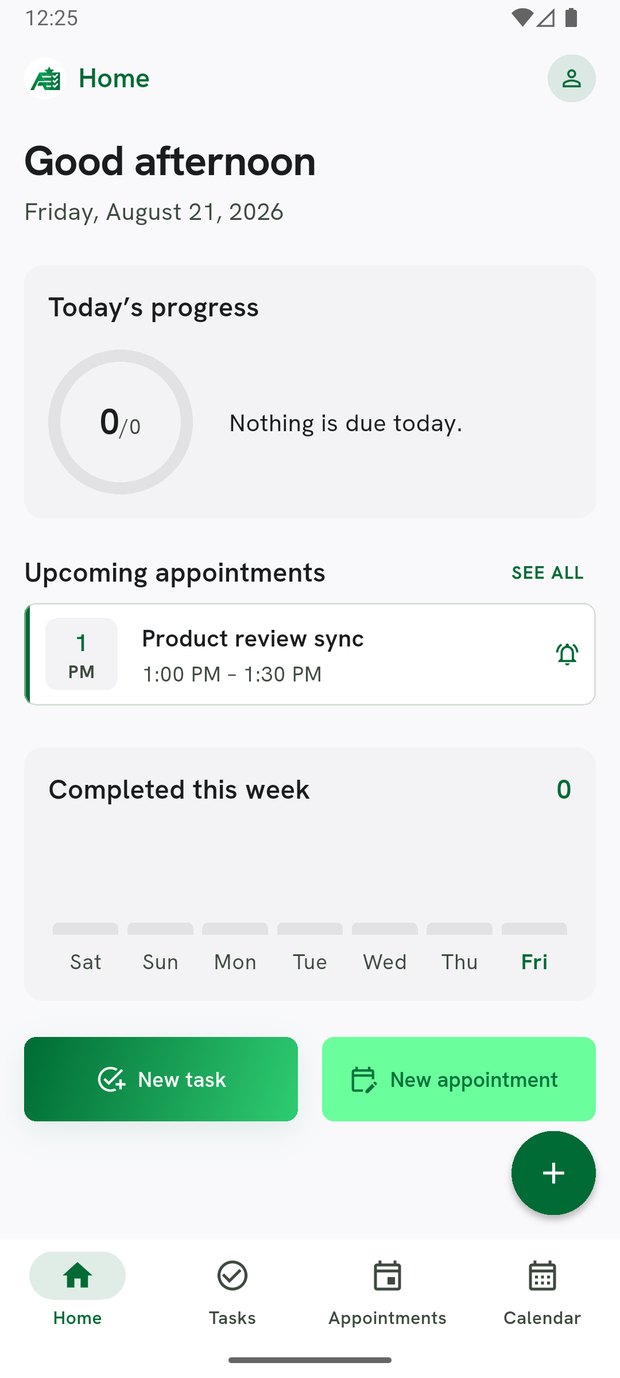
Large type, high contrast, and the day's work above the fold.
For teams
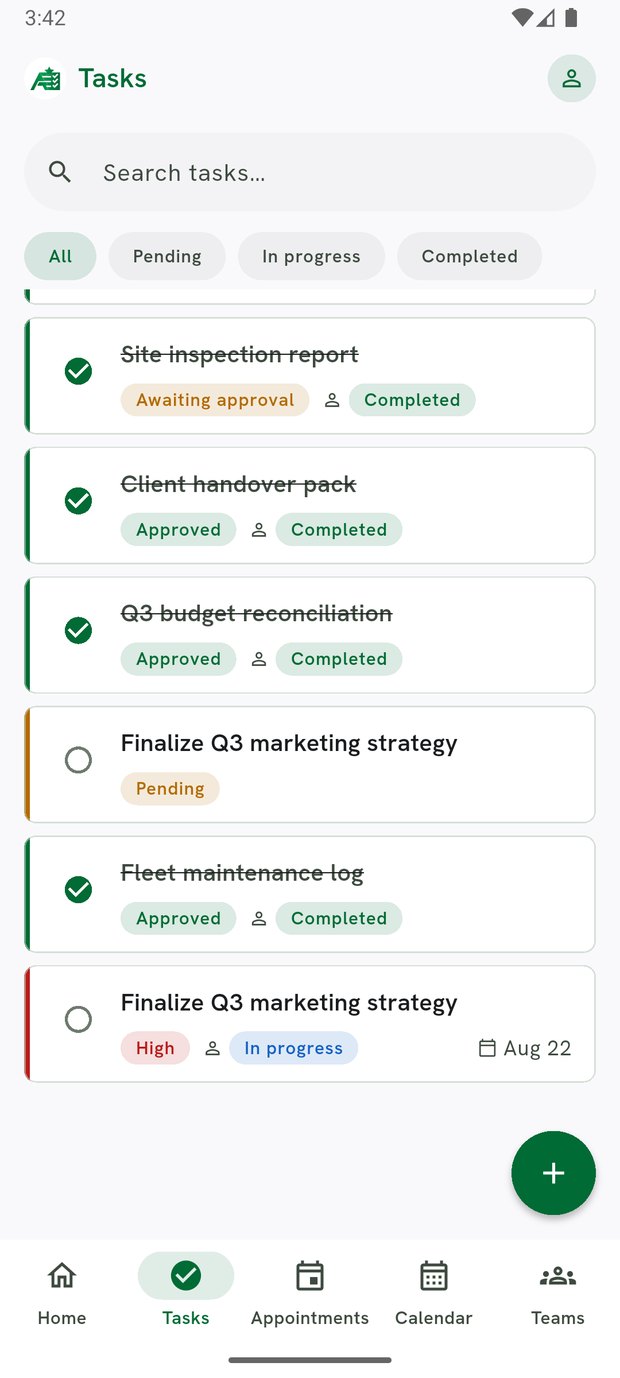
Work that has to be signed off
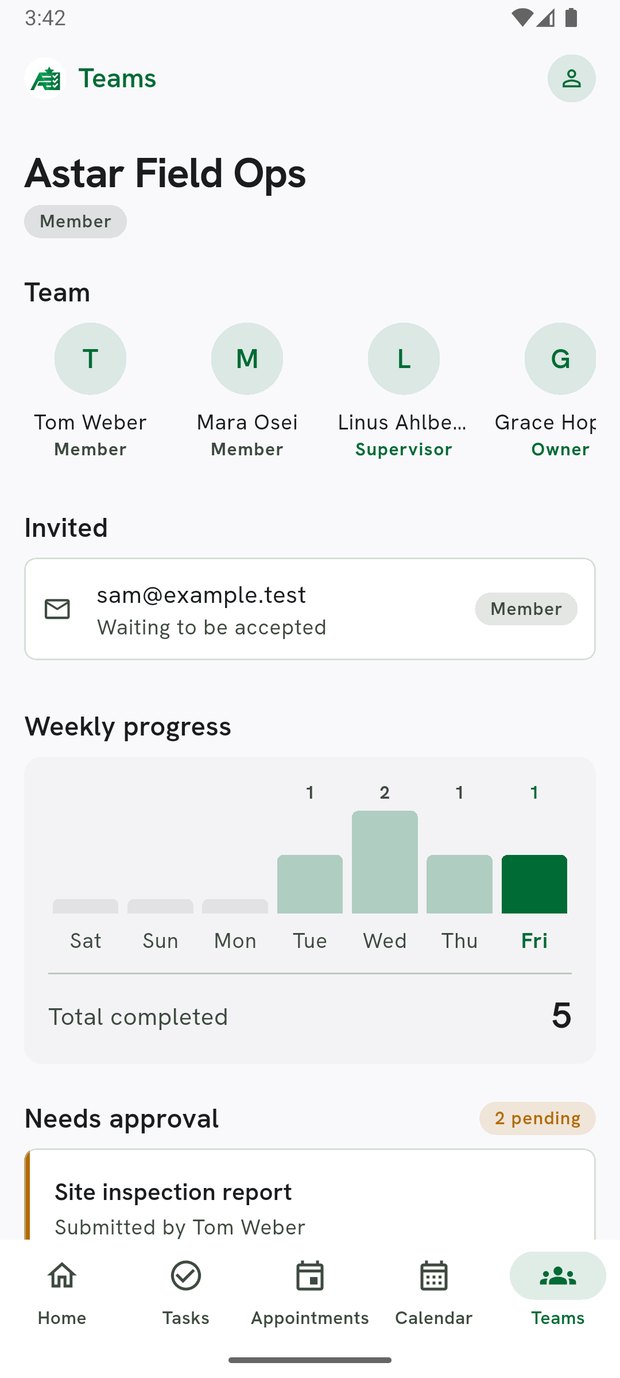
Assign a task to someone and mark it as needing approval. They do the work and submit it; it stays out of the completed column until a manager approves. Everyone sees the same state, on whatever device they have.
- Invite colleagues by email and set their role
- Assign, reassign and track without a group chat
- Per-member reporting, exported as a PDF
Start with the free plan
Tasks, appointments, reminders, the calendar and sync across your devices. Not a trial — that is what free includes.